Discover Vectura: A Modern Sans-Serif for Timeless Design
Every designer knows the search for the perfect typeface can define the success of a project. Vectura emerges as a compelling answer for those who appreciate the timeless clarity of classics like Helvetica, yet seek a fresh, contemporary voice. This refined sans-serif font is crafted with precision, offering a versatile foundation that elevates both professional and creative work without overpowering the message.
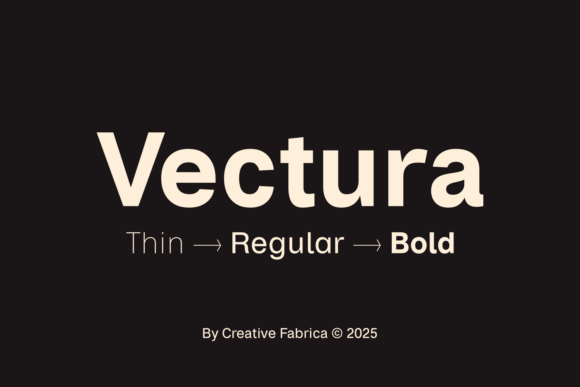
At its core, Vectura is built for adaptability. The family includes six essential styles—Thin, Regular, and Bold, each with a matching italic—providing a complete toolkit for visual hierarchy and emphasis. Whether you’re designing a sleek logo, a dynamic poster, or a clean corporate identity, the consistent letterforms and subtle alternates ensure cohesion across every application. Its excellent readability makes it a reliable choice for extended text in editorial layouts, web design, or packaging where clarity is paramount.
Where Vectura Shines: Practical Applications
Consider Vectura for projects that demand a balance of elegance and impact. Its minimalist aesthetic is ideal for brand identity systems, where a font must be both distinctive and adaptable across multiple touchpoints. Imagine it on business cards, stationery, and digital platforms—creating a unified, professional impression that builds recognition.
For editorial design, Vectura brings a clean, modern feel to magazines, brochures, and book layouts. Its generous x-height and open counters ensure text remains legible at various sizes, from headlines to body copy. In the realm of packaging design, this typeface can convey sophistication and clarity, helping products stand out on shelves while communicating essential information effortlessly.
- Logo & Branding: Create logos and brand marks that feel contemporary and enduring.
- Web & UI Design: Use for website headings, navigation, and button text to ensure a polished user experience.
- Social Media & Marketing: Design eye-catching graphics, advertisements, and presentation slides with strong visual hierarchy.
- Merchandise & Invitations: Apply to t-shirts, tote bags, event invitations, and digital products for a premium touch.
Tips for Selecting and Pairing Fonts
When incorporating Vectura into your workflow, start by testing its weights in context. The Thin style offers delicate elegance for luxury or fashion projects, while the Bold commands attention for headlines and calls to action. Always preview the font in your actual design environment to assess readability and tone.
For font pairing, Vectura’s neutral character makes it an excellent partner. Try combining it with a contrasting serif or a playful script font to create visual interest. For example, use Vectura Bold for headings paired with a light serif for body text in editorial spreads. Alternatively, mix it with a handwritten font for social media graphics to add personality while maintaining professionalism.
Before finalizing your choice, review the license to ensure it covers your intended use, whether for digital products, client work, or commercial merchandise. A well-chosen typeface like Vectura not only enhances aesthetic appeal but also strengthens brand consistency and audience trust. It’s more than a font—it’s a design asset that adapts to your vision, helping you craft visuals that are both beautiful and effective.
In a world saturated with visual noise, selecting a font that offers both style and substance is a strategic decision. Vectura delivers that rare combination, providing a reliable foundation for designs that need to communicate clearly and look impeccably modern. Its versatility across contexts—from minimalist websites to bold poster designs—makes it a worthy addition to any designer’s toolkit.